Depositors
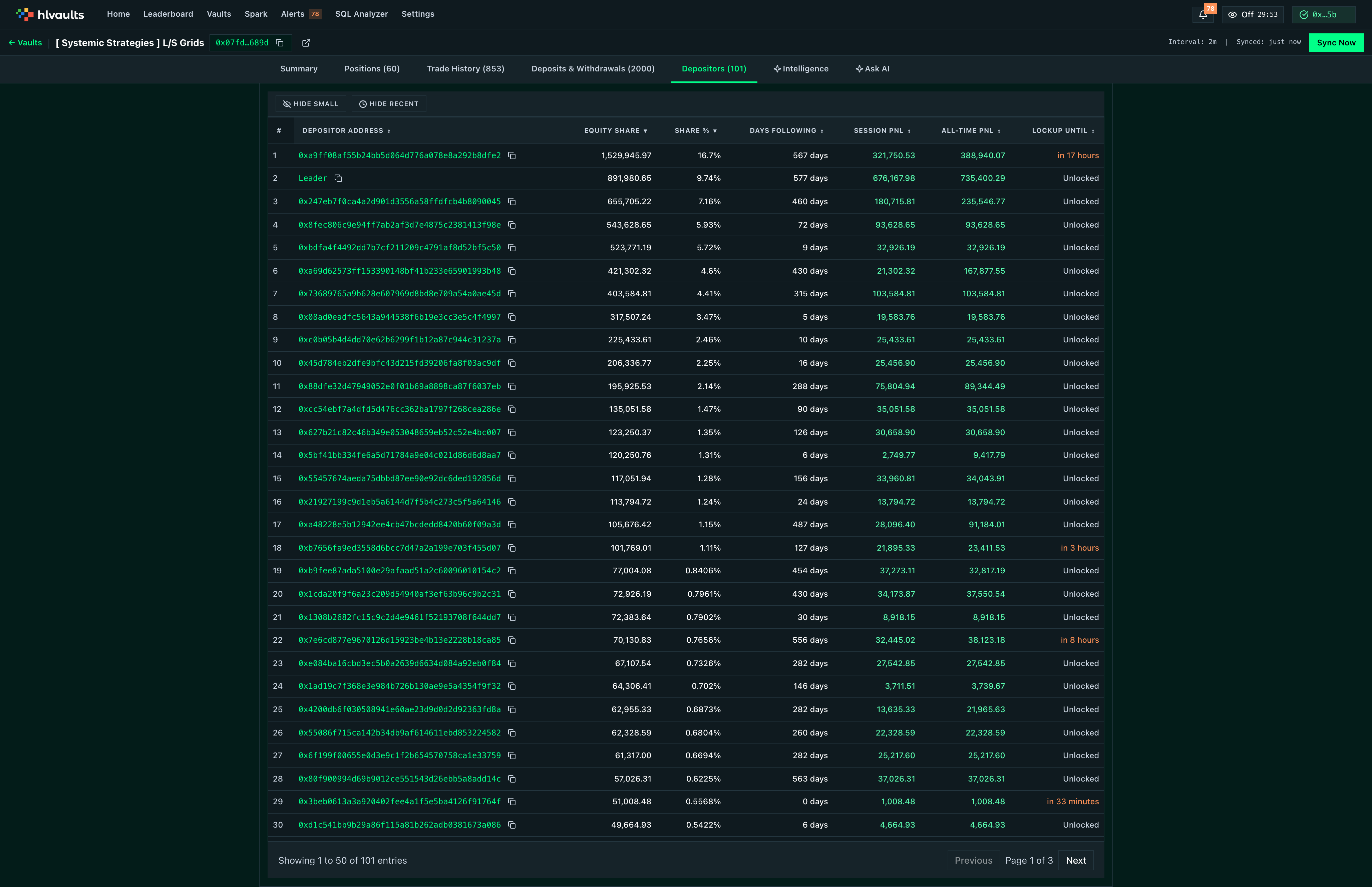
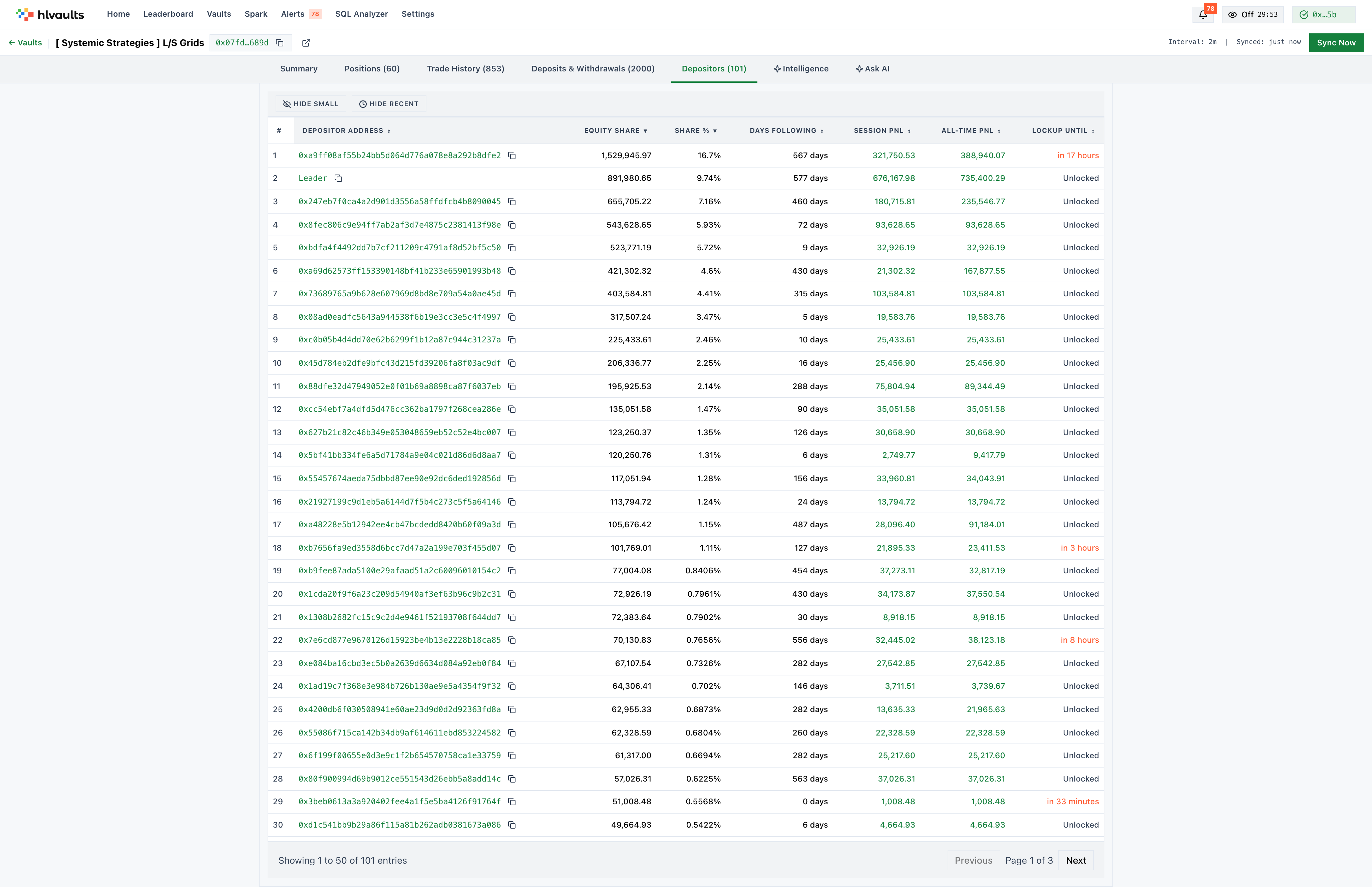
The Depositors tab lists every wallet that has deposited into the vault, ranked by equity. It answers a question that most vault data sources ignore: who else is in this trade with you?
What each column shows
Section titled “What each column shows”| Column | Description |
|---|---|
| Rank | Position by equity size. |
| Address | Wallet address. The vault leader’s address is marked with a Leader badge. |
| Equity Share | USD amount deposited. |
| Share % | Percentage of total vault TVL. |
| Days Following | How long the depositor has been in the vault. |
| Session PnL | Current session profit or loss. |
| All-Time PnL | Total PnL since joining. |
| Lockup Status | Locked (red) or Unlocked (muted). |
Why depositor composition matters
Section titled “Why depositor composition matters”Depositor concentration is a risk factor. A vault where a single wallet controls 40% of TVL is vulnerable to that depositor withdrawing — which can trigger position reductions and affect remaining depositors. The Share % column makes this visible at a glance.
Lockup status tells you how sticky the capital is. Locked depositors cannot withdraw before their lockup expires, which provides the leader with stable capital. A vault with mostly unlocked depositors may see larger outflows during drawdowns.
The Days Following metric helps distinguish recent depositors from long-term capital. A depositor who has been in the vault for months without leaving has implicitly signaled confidence.
Sorting and pagination
Section titled “Sorting and pagination”Sortable by Address, Equity, Days Following, PnL, and Lockup Status. 50 rows per page.
Free Free accounts see a preview. The full depositor list requires Growth.